What Multi‑Agent Orchestration Changes for Teams Shipping With Coding Agents
A practical look at how an orchestrator model can coordinate multiple coding agents, what it actually changes for engineering teams, and how to prototype this safely.
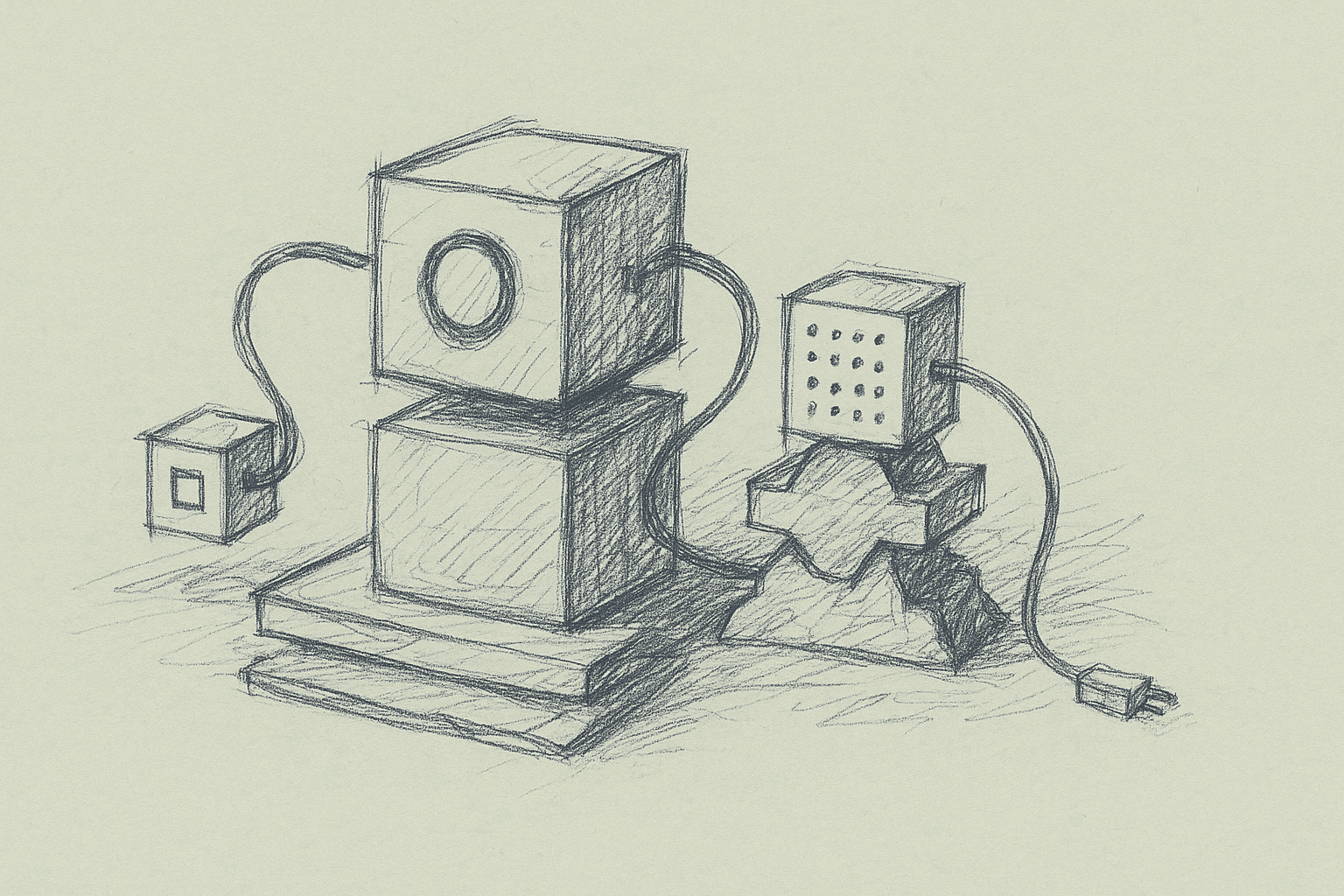
Multi‑agent orchestration now shows up in day‑to‑day engineering workflows, not just demos.
The core idea in this article:
Use one strong model as an orchestrator ("Opus 4.6") that manages a set of more specialized worker agents ("Codex 5.3" style coding agents) to parallelize and structure real development work.
"Opus 4.6" and "Codex 5.3" are placeholders. The patterns apply to any setup with:
- a relatively capable, more expensive model (orchestrator), and
- cheaper or more specialized coding models (workers).
This is for teams already using single coding agents and trying to understand what a multi‑agent setup adds, and what it breaks.
1. Why Orchestration Instead of a Bigger Single Agent?
Most teams start with one coding agent per developer. That agent:
- reads context (files, tests, tickets),
- proposes changes,
- edits files,
- maybe runs tests.
This works, but it hits limits:
- Context overload: one agent juggling spec, codebase, tests, logs, and review comments in a single prompt.
- Long serial loops: spec → implementation → tests → fix → refactor all in one chain.
- Weak task decomposition: the agent guesses how to break work down, and that plan is hard to inspect.
An orchestrated setup separates concerns:
- Orchestrator: plans, routes tasks, checks consistency, arbitrates conflicts.
- Workers: do focused coding, refactoring, test writing, or analysis.
It will not 10x output. When implemented well, it tends to:
- Make plans and responsibilities explicit (easier to debug and review).
- Allow parallel work on independent subtasks.
- Let you tune cost vs. quality by mixing models.
2. A Concrete Mental Model: Opus as Tech Lead, Codex as ICs
Think of the orchestrator as a tech lead and the workers as individual engineers:
-
The orchestrator:
- reads the ticket / spec,
- inspects the codebase at a high level,
- creates a task graph,
- assigns tasks to workers,
- reviews their outputs,
- merges or sends back for revision.
-
Each worker agent:
- gets a narrow, well‑scoped task,
- receives only the relevant code context,
- produces concrete artifacts: diffs, tests, docs, or analysis.
This is a more explicit, multi‑step version of the usual “chain of thought.”
3. Baseline Architecture for Multi‑Agent Orchestration
Here is a minimal architecture you can build with typical LLM tooling.
3.1 Components
-
Orchestrator service
- Stateless or lightly stateful API.
- Uses a stronger model.
- Responsible for:
- task decomposition,
- routing,
- reviewing worker outputs,
- maintaining a task graph / plan.
-
Worker agent templates
- Each worker is a prompt + tool set, not necessarily a separate process.
- Common worker roles:
- Implementer: writes or edits code.
- Test writer: adds or updates tests.
- Refactorer: cleans up and aligns with style.
- Static analyst: reads code and flags issues.
-
Shared tools (available to orchestrator and/or workers)
- Codebase access: search, read file, list symbols.
- Edit application: apply diff, create file, delete file.
- Execution: run tests, run command, run linter.
- Metadata: get open PRs, get ticket details.
-
Task graph store
- Simple option: in‑memory structure per request.
- More robust: a small DB table storing tasks, dependencies, status, and artifacts.
3.2 Control Flow (Happy Path)
- Input: user submits a goal (for example, “Add feature X to service Y”).
- Orchestrator pass 1:
- Reads the goal and relevant code context.
- Produces a task graph:
- nodes = tasks,
- edges = dependencies.
- Scheduler:
- Picks all tasks with dependencies satisfied.
- For each, calls the appropriate worker template.
- Workers:
- Perform their tasks using tools.
- Return artifacts (diffs, test names, logs, notes).
- Orchestrator review:
- Evaluates worker outputs.
- Marks tasks as done or sends back revisions.
- Optionally updates the plan (adds tasks, changes dependencies).
- Completion:
- When all required tasks are done and tests pass, the orchestrator summarizes changes and returns a patch or PR.
4. What Actually Changes in a Coding Workflow
4.1 From “One Big Prompt” to “Plan + Tasks”
Before: you ask a single agent to “implement feature X.” It:
- reads some files,
- edits several modules,
- writes tests,
- maybe runs tests,
- returns a large diff.
After: you ask the orchestrator. It:
-
Produces a plan like:
- T1: Analyze current behavior of endpoint A.
- T2: Design new data model for feature X.
- T3: Implement backend changes.
- T4: Implement frontend changes.
- T5: Add tests for new behavior.
- T6: Run tests and summarize.
-
Assigns T1/T2/T3/T4/T5/T6 to workers, possibly in parallel.
-
Reviews and stitches outputs.
Impact:
- You can inspect and modify the plan.
- You can re‑run only failed tasks.
- You can log and analyze where the system struggles (for example, always mis‑scoping T2).
4.2 Parallelization
Multi‑agent orchestration helps when tasks are actually independent.
Examples where parallelization is realistic:
- Adding similar validations to many endpoints.
- Migrating a pattern across multiple modules.
- Generating tests for a set of functions.
Examples where parallelization is limited:
- Deep refactors where later steps depend on earlier design decisions.
- Changes that require consistent cross‑cutting design (for example, auth model changes).
In practice, teams often see:
- modest speedups on feature work,
- larger speedups on repetitive or wide‑fanout tasks.
4.3 Review and Safety Nets
With an orchestrator, you can:
- enforce review steps as first‑class tasks,
- require that certain tasks (for example, schema changes) always go through a stricter review worker or a human.
This makes it easier to encode policies like:
- “Any change touching billing must:
- be reviewed by a separate agent,
- have tests added,
- and be explicitly approved by a human.”
5. Minimal Implementation: From Single Agent to Orchestrated System
Here is a stepwise path you can implement without rewriting your stack.
5.1 Step 0: Make Your Single Agent Tool‑Driven
If you haven’t already, ensure your current coding agent:
- uses tools for:
- reading files,
- writing diffs,
- running tests,
- and returns structured outputs (for example, JSON with
plan,diffs,tests_run).
Without tools and structure, orchestration becomes hard to manage.
5.2 Step 1: Introduce a Planning Layer (Still Single Agent)
Add a “planner” mode to your existing agent:
- Input: goal + high‑level context.
- Output: a list of tasks with dependencies.
Example JSON schema:
{
  "tasks": [
    {
      "id": "T1",
      "description": "Analyze current behavior of /users endpoint",
      "depends_on": []
    },
    {
      "id": "T2",
      "description": "Update validation logic for new field X",
      "depends_on": ["T1"]
    }
  ]
}
Then still execute tasks serially with the same agent. This gives you:
- visibility into planning quality,
- a natural place to insert orchestration later.
5.3 Step 2: Split Planner and Worker Prompts
Keep using the same model, but separate prompts:
- Planner prompt: “You are a senior engineer planning tasks…”
- Worker prompt: “You are an implementation engineer focusing on a single task…”
Wire them together with a simple scheduler that:
- takes the plan,
- executes tasks in dependency order,
- stores artifacts per task.
You now have a single‑model multi‑role system.
5.4 Step 3: Swap Planner to a Stronger Model
Once the roles are stable:
- move the planner/orchestrator to a stronger model,
- keep workers on a cheaper coding model.
You’ll need to:
- standardize the task schema (what fields the orchestrator can rely on),
- standardize tool interfaces (so workers are interchangeable).
5.5 Step 4: Add Parallel Execution
When you have a reliable task graph:
- run all tasks whose
depends_onare satisfied in parallel, - cap concurrency to avoid overwhelming your tools (for example, repo index, CI).
You’ll also need to handle:
- conflicting edits: two workers editing the same file or region,
- shared state: tasks that depend on intermediate code changes.
A simple strategy:
- group tasks by file or module,
- avoid parallel edits to the same group,
- or funnel merges through a dedicated “merge worker” or the orchestrator.
6. Practical Patterns for Worker Agents
Below are worker roles that tend to be useful in real codebases.
6.1 Implementer Worker
Goal: apply a specific change to the codebase.
Inputs:
- task description,
- relevant file paths,
- constraints (style, performance, safety notes).
Tools:
- read file / search,
- apply diff,
- run targeted tests.
Prompt pattern:
- emphasize locality: only touch files listed unless strictly necessary,
- require a minimal plan before edits (2–5 bullet points).
6.2 Test Writer Worker
Goal: add or update tests for a known change.
Inputs:
- description of behavior to test,
- pointers to existing test files,
- test framework conventions.
Tools:
- read test files,
- apply diff,
- run tests.
This worker is where parallelization often pays off. You can generate tests for multiple functions or endpoints concurrently.
6.3 Refactorer Worker
Goal: improve structure without changing behavior.
Inputs:
- target files or modules,
- refactoring goals (for example, extract function, reduce duplication),
- style guide.
Tools:
- read/apply diff,
- run tests.
You can schedule refactor tasks after feature implementation tasks, or run them in parallel on unrelated modules.
6.4 Static Analyst Worker
Goal: inspect code for issues or policy violations.
Inputs:
- changed files,
- rules (for example, no direct DB calls from controllers).
Tools:
- read files,
- optionally run linters.
This worker can act as an automated reviewer before human review.
7. Where Orchestration Helps vs. Hurts
7.1 Clear Wins
-
Repetitive, wide‑fanout changes
- Example: “Add logging wrapper to all service methods in package X.”
- Orchestrator: enumerates targets.
- Workers: each handle a subset.
-
Large features with natural subcomponents
- Backend + frontend + tests + docs.
- Orchestrator: enforces that each component is explicitly handled.
-
Policy‑heavy domains
- Security, compliance, billing.
- Orchestrator: routes sensitive tasks through stricter workers or human gates.
7.2 Pain Points and Failure Modes
-
Planning hallucinations
- Orchestrator invents modules or APIs that don’t exist.
- Mitigation: require it to verify files and symbols via tools before finalizing the plan.
-
Over‑fragmentation
- Too many tiny tasks, so overhead dominates.
- Mitigation: enforce a minimum task size (for example, expected 5–20 minutes of work per task if done by a human).
-
Conflicting edits
- Multiple workers editing the same file.
- Mitigation: file‑level locking or merge worker; or orchestrator pre‑assigns ownership by file.
-
Debugging complexity
- Failures are harder to trace across many agents.
- Mitigation: log per‑task context, tools used, and outputs; keep a timeline of decisions.
-
Cost blow‑ups
- Many agents calling tools and models in parallel.
- Mitigation: cap concurrency, set per‑task token budgets, and monitor cost per successful change.
8. Observability and Control: What to Log
To keep a multi‑agent system manageable, log at the task level, not just the request level.
Useful fields per task:
task_id,parent_task_id(if any),depends_on,role(implementer, test_writer, etc.),input_summary(short description, not full prompt),tools_usedand their arguments,model_nameand token usage,status(success, failed, retried, escalated to human),artifacts(diff IDs, test results, notes).
This helps you:
- identify which roles are most error‑prone,
- tune prompts and tools for specific workers,
- estimate ROI of orchestration vs. single‑agent baselines.
9. Human in the Loop: Where to Insert People
Multi‑agent orchestration changes where humans sit in the loop.
Common insertion points:
-
Plan approval
- Show the orchestrator’s task graph to a human.
- Allow edits before execution.
-
Pre‑merge review
- Treat the orchestrator’s final patch as a draft PR.
- Use a human reviewer plus an analyst worker.
-
Escalation on uncertainty
- If a worker or orchestrator expresses low confidence (you can prompt for this), route to a human.
-
Policy gates
- For certain directories or services, require human approval regardless of agent confidence.
10. Limitations and Open Questions
There are several areas where evidence is still limited or mixed:
-
Net productivity gains
- Teams report speedups, but controlled measurements across diverse codebases are scarce.
- Gains likely depend heavily on:
- codebase size and consistency,
- test coverage,
- tool reliability,
- how repetitive the work is.
-
Quality of long‑lived plans
- It is unclear how well current models maintain coherent plans over long, multi‑hour sessions with many tasks.
- Drift and forgotten constraints are common failure modes.
-
Best granularity of tasks
- There is no consensus on optimal task size.
- Too coarse: workers behave like single agents again.
- Too fine: orchestration overhead dominates.
-
Security and data leakage
- More agents and tools mean more surfaces for misconfiguration.
- Strong isolation and auditing are advisable, but concrete best practices are still forming.
-
Model specialization vs. prompt specialization
- It is not clear when separate models per role outperform a single model with role‑specific prompts.
- This likely depends on model families and pricing, which change over time.
11. A Practical Checklist to Get Started
If you want to experiment with an “Opus orchestrator + Codex workers” style setup, here is a pragmatic sequence:
-
Stabilize tools
- Ensure your current agent can reliably:
- read and diff files,
- run tests,
- report failures clearly.
- Ensure your current agent can reliably:
-
Add planning without new models
- Implement a planner mode that outputs a task list.
- Execute tasks serially with your existing agent.
-
Separate roles
- Define at least two worker roles (implementer, test writer).
- Give each a dedicated prompt and tool subset.
-
Introduce a stronger orchestrator model
- Use it only for planning and review at first.
- Keep workers on your existing coding model.
-
Instrument everything
- Log per‑task metrics, including failures and retries.
- Compare against your single‑agent baseline on:
- time to complete a change,
- number of human interventions,
- test failure rates.
-
Add parallelism carefully
- Start with parallel test generation or analysis tasks.
- Only then parallelize code edits, with file‑level locking.
-
Codify human gates
- Decide where humans must approve plans or patches.
- Implement these as explicit steps in the task graph.
12. Summary
Multi‑agent orchestration is mainly about:
- making planning explicit,
- assigning focused roles to models,
- using parallelism where it fits the work.
An “Opus‑like” orchestrator coordinating “Codex‑like” workers can change how teams ship with coding agents, but only if:
- tools are reliable,
- plans are inspectable,
- outcomes are measured against a single‑agent baseline.
A robust path is incremental: start with planning, separate roles, then introduce a stronger orchestrator and limited parallelism. From there, use your own data to decide whether the added complexity is worth it for your codebase and team.
Want to learn more about Cursor?
We offer enterprise training and workshops to help your team become more productive with AI-assisted development.
Contact Us