What Multi‑Agent Orchestration Changes for Teams Shipping With Coding Agents
A practical look at how an "Opus 4.6"-style orchestrator could coordinate specialized "Codex 5.3" coding agents, what this changes for engineering teams, and how to implement it with clear roles, protocols, and safeguards.
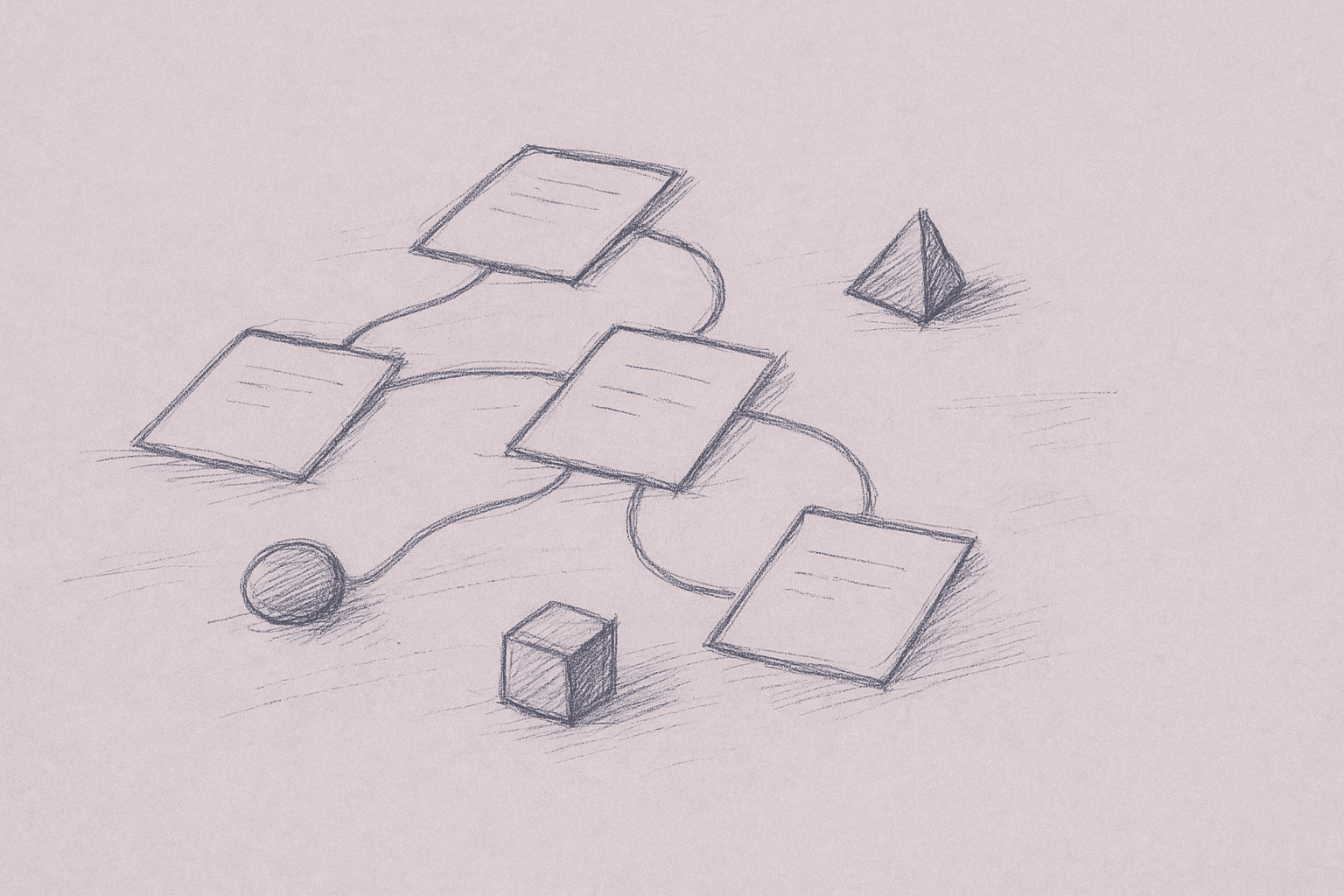
Engineering teams are running into a similar pattern:
- One strong model works well as a planner and reviewer.
- Several smaller or cheaper models work well as doers for focused coding tasks.
- The main problem is no longer “can the model code?” but “how do we coordinate all of this without chaos?”
That is where multi‑agent orchestration fits.
In this article, we’ll use the fictional labels Opus 4.6 (orchestrator) and Codex 5.3 (worker agents) as shorthand for:
- Opus 4.6 → a capable, reasoning‑heavy model that is relatively expensive per token.
- Codex 5.3 → cheaper, code‑optimized models that are good at narrow tasks.
The exact model names are placeholders. The patterns and tradeoffs are what matter.
We’ll cover:
- What orchestration changes in day‑to‑day engineering work
- A concrete architecture for orchestrator + worker agents
- Example workflows (feature work, refactors, incident response)
- Implementation steps you can try with today’s tools
- Failure modes, limits, and when not to use multi‑agent setups
1. What “multi‑agent orchestration” changes
Most teams today use coding agents in one of two ways:
- Inline assistant – autocomplete and chat in the editor.
- Single “project agent” – one agent that can read files, run tools, and propose edits.
Multi‑agent orchestration adds a third pattern:
- Planner + workers – one agent plans and coordinates; several agents execute.
This changes four things in practice.
1.1 From “one big prompt” to “task graph”
Instead of:
“Here’s the repo, here’s the ticket, please implement it.”
You move toward:
- Orchestrator breaks the ticket into discrete tasks.
- Each task is assigned to a worker agent with a narrow scope.
- Results are merged, reviewed, and either accepted or re‑worked.
This is closer to how a senior engineer delegates to a few mid‑levels than to a single monolithic assistant.
1.2 From “agent as pair programmer” to “agent as junior team”
With orchestration, you can:
- Run multiple code edits in parallel (different modules, tests, docs).
- Keep a review loop: orchestrator checks diffs before they hit your branch.
- Specialize workers: one for tests, one for migrations, one for docs, and so on.
You stop treating the agent as a single collaborator and start treating it as a small, structured team.
1.3 From “single context window” to “sharded context”
A single agent is limited by its context window. An orchestrated set of agents can:
- Give each worker a small, relevant slice of the repo.
- Keep the orchestrator focused on high‑level state: architecture, task graph, constraints.
You still hit context limits, but you can manage them deliberately.
1.4 From “one failure mode” to “many small ones”
With one agent, a bad decision can corrupt a lot of code at once.
With orchestration, you get:
- More surface area for mistakes (more agents, more steps).
- More checkpoints (per‑task review, per‑diff validation).
Whether this helps depends on how disciplined the orchestration layer is.
2. Architecture: Opus 4.6 as orchestrator, Codex 5.3 as workers
This outline assumes current models and common tooling; adapt the APIs you use.
2.1 Roles
Orchestrator (Opus 4.6‑like)
- Inputs: ticket description, repo metadata, constraints (coding standards, performance, security notes).
- Responsibilities:
- Understand the task in context of the codebase.
- Build and maintain a task graph (subtasks + dependencies).
- Choose which tools and worker agents to call.
- Review worker outputs (diffs, test results, logs).
- Decide when to re‑work, escalate, or stop.
Worker agents (Codex 5.3‑like)
- Inputs: narrow task description, relevant files/snippets, tool handles.
- Responsibilities:
- Make concrete code edits.
- Write or update tests.
- Run specific tools (linters, formatters, targeted tests) when asked.
Workers do not need global awareness of the project. They need just enough context to complete their assigned task.
2.2 Core components
A practical multi‑agent system usually needs:
-
Task planner (orchestrator logic)
- Converts a ticket into a list of tasks.
- Maintains task state:
pending,in_progress,done,failed.
-
Tooling layer
- File read/write with diff semantics.
- Search (e.g., ripgrep, language‑server queries).
- Test runners and linters.
- Optional: build system, benchmark harness, static analysis.
-
Worker pool
- A way to spin up worker agents with:
- A specific prompt template (e.g., “You are a test‑writing agent…”).
- A bounded tool set.
- A way to spin up worker agents with:
-
State store
- Task graph and history.
- Mapping from tasks to code changes (diffs, branches).
- Logs of tool calls and results.
-
Human interface
- Where tickets enter the system.
- Where humans can inspect tasks, diffs, and logs.
- Where humans can override or approve.
2.3 Data flow at a high level
- Human submits a ticket.
- Orchestrator:
- Reads relevant parts of the repo.
- Plans tasks and dependencies.
- For each ready task:
- Orchestrator spawns a worker with a narrow brief and tools.
- Worker proposes code edits (diffs) and optional tests.
- Orchestrator reviews:
- Checks diffs for obvious issues.
- Runs targeted tests/linters.
- Accepts, requests re‑work, or escalates to human.
- Once all tasks are complete and validated:
- Orchestrator assembles a final diff or branch.
- Human reviews and merges.
3. Example workflows
3.1 Implementing a feature
Input: “Add CSV export to the admin user list with role‑based filtering.”
Step 1 – Planning (orchestrator)
The orchestrator might decompose into tasks like:
- Discover existing admin list implementation.
- Design CSV export endpoint or handler.
- Implement CSV serialization.
- Wire export into UI or routing layer.
- Add tests (unit + integration).
- Update docs or configuration if needed.
Step 2 – Assign tasks to workers
- Task 1 (discovery): worker with strong search tools, read‑only.
- Task 2–4 (implementation): worker with write access to backend code.
- Task 5 (tests): worker specialized in test patterns for your stack.
- Task 6 (docs): worker with access to docs folder.
Each worker gets:
- A short, explicit brief.
- A list of files it may modify.
- Tool handles (e.g.,
read_file,apply_diff,run_testslimited to a subset).
Step 3 – Review and integration
For each worker output, the orchestrator:
- Inspects the diff.
- Runs targeted tests.
- Checks for cross‑task conflicts (e.g., same file modified by multiple tasks).
If conflicts appear, the orchestrator can:
- Spawn a merge worker to reconcile changes.
- Or flag for human review if the conflict is non‑trivial.
3.2 Large‑scale refactor
Refactors are where orchestration can help, and also where it’s easy to break things.
Example: “Rename Customer to AccountHolder across the service, preserving behavior.”
A cautious orchestrated approach:
-
Orchestrator identifies refactor scope:
- All references to
Customerin code and tests. - Database schema, migrations, and external APIs.
- All references to
-
Orchestrator creates phased tasks:
- Phase 1: internal code and tests only.
- Phase 2: database and migrations.
- Phase 3: external interfaces and docs.
-
Workers operate per module or package, each with:
- A clear rule set (e.g., “rename type, keep behavior identical”).
- A test subset to run after changes.
-
Orchestrator enforces gates:
- Do not start Phase 2 until Phase 1 tests pass.
- Do not touch external API names without explicit human approval.
This is slower than a single global search‑and‑replace, but safer and more auditable.
3.3 Incident response / hotfix
For production incidents, orchestration can help with triage and hypothesis generation. You likely still want a human in the loop for final changes.
Example flow:
- Human provides incident context: logs, error messages, recent changes.
- Orchestrator spawns:
- A log analysis worker to cluster errors and suggest likely components.
- A code inspection worker to examine the suspected module.
- Orchestrator synthesizes findings and proposes:
- One or two candidate fixes.
- A minimal test to reproduce the issue.
- Human decides whether to:
- Let a worker implement the minimal fix.
- Take over manually.
Here, orchestration is more about parallel analysis than mass code editing.
4. Practical implementation steps
This section assumes you have access to:
- At least one strong reasoning model (orchestrator).
- One or more cheaper code‑optimized models (workers).
- A way to run tools (file access, tests) in a controlled environment.
4.1 Start with a single orchestrated workflow
Do not try to “multi‑agent everything” at once. Pick one workflow where parallelism and structure clearly help, for example:
- “Add feature X with backend + tests + docs.”
- “Apply the same small change across N modules.”
Define:
- Entry point: how the ticket is described.
- Success criteria: tests pass, style checks pass, no changes outside allowed paths.
4.2 Define explicit agent roles and prompts
For each role, write a short, concrete system prompt. Examples (simplified):
Orchestrator prompt skeleton
- You are responsible for planning and coordinating coding tasks.
- You may:
- Read files and search the codebase.
- Spawn worker agents with narrow tasks.
- Review diffs and test results.
- You must:
- Keep a task list with clear states.
- Avoid editing files directly; use workers for changes.
- Stop and ask for human input when requirements are ambiguous or risky.
Implementation worker prompt skeleton
- You implement small, well‑scoped code changes.
- You may:
- Read and write only the files listed.
- Run tests or linters for the affected area.
- You must:
- Preserve existing behavior unless explicitly told otherwise.
- Keep changes minimal and focused on the task.
- Explain your changes briefly in natural language.
Test worker prompt skeleton
- You write and update tests for the given changes.
- You may:
- Read implementation files and existing tests.
- Create or modify test files.
- Run tests.
- You must:
- Prefer small, focused tests.
- Avoid changing production code unless explicitly allowed.
4.3 Implement a simple task graph
You do not need a full workflow engine to start. A basic structure can be:
{
  "tasks": [
    {
      "id": "discover-entrypoints",
      "status": "pending",
      "depends_on": [],
      "type": "analysis",
      "assigned_to": "orchestrator"
    },
    {
      "id": "implement-endpoint",
      "status": "pending",
      "depends_on": ["discover-entrypoints"],
      "type": "implementation",
      "assigned_to": "worker:impl"
    }
  ]
}
Your orchestration loop can be as simple as:
- Find tasks with
status = pendingand all dependenciesdone. - For each, call the appropriate agent.
- Update the task status based on the result.
You can store this in a database, a JSON file, or any stateful service you already use.
4.4 Constrain tools and file access
One of the biggest risk reducers is scoping:
- For each worker task, pass an explicit list of allowed files or directories.
- Have the tool layer enforce this (e.g., reject writes outside the set).
- Prefer diff‑based edits over “write full file from scratch” when possible.
This reduces the blast radius of a bad decision.
4.5 Add a review gate before code lands
Even if the orchestrator reviews diffs, keep a human gate initially:
- All orchestrated changes land on a separate branch.
- A human reviews the PR like any other.
- Over time, you can relax this for low‑risk areas (e.g., docs, generated tests).
4.6 Instrument and log everything
For each task and worker run, log at least:
- Task ID and type.
- Files read and written.
- Tools invoked and their outputs (summarized if large).
- Final diffs.
This lets you:
- Debug failures.
- Identify patterns where the orchestrator over‑ or under‑decomposes work.
- Tune prompts and task templates.
5. Tradeoffs and limitations
Multi‑agent orchestration adds capability and also complexity.
5.1 Overhead vs. benefit
Costs:
- More API calls and tokens (planner + multiple workers).
- More infrastructure (state store, tool layer, logging).
- More to debug when something goes wrong.
Benefits:
- Better parallelism on large, decomposable tasks.
- Clearer structure for review and auditing.
- Ability to specialize agents for different sub‑tasks.
For small tasks (“fix this one bug in one file”), orchestration is often overkill.
5.2 Planning errors
The orchestrator can:
- Misunderstand the ticket and plan the wrong tasks.
- Over‑decompose (too many tiny tasks, overhead dominates).
- Under‑decompose (one worker gets an unmanageable task).
Mitigations:
- Start with simple, opinionated templates for common workflows.
- Require the orchestrator to produce a plan summary that a human can quickly scan.
- Allow humans to edit the plan before execution.
5.3 Coordination conflicts
Multiple workers can:
- Modify the same file in incompatible ways.
- Make conflicting assumptions (e.g., different function signatures).
Mitigations:
- Partition work by module or layer when possible.
- Use a merge step (agent or human) with a full view of all diffs.
- Run tests after each merge, not just at the end.
5.4 Context and memory limits
Even with orchestration, models:
- Cannot hold the entire codebase in working memory.
- Can forget earlier decisions or constraints.
Mitigations:
- Use search tools to fetch relevant code on demand.
- Keep a short, structured summary of key decisions and pass it to workers.
- Avoid long, free‑form conversations; prefer structured state.
5.5 Reliability and safety
There is limited public, rigorous data on the reliability of large multi‑agent systems in production software engineering. Most evidence is:
- Anecdotal from teams experimenting internally.
- Based on small‑scale benchmarks or toy tasks.
Given this uncertainty:
- Treat multi‑agent systems as assistive, not autonomous, for now.
- Keep humans in the loop for design decisions and risky changes.
- Start in low‑risk areas (internal tools, non‑critical services) before expanding.
5.6 Organizational fit
Multi‑agent orchestration changes how work is structured:
- Tickets may need to be more structured to be decomposable.
- Engineers may shift from “write code” to “design tasks and review diffs.”
This can be a good or bad fit depending on your team culture and constraints.
6. When multi‑agent orchestration is worth it
Given current capabilities and limits, orchestration tends to be most useful when:
- Tasks are large but decomposable (features, refactors, migrations).
- You have clear coding standards and tests that can catch regressions.
- You can invest in some infrastructure (tools, state, logging).
- You are comfortable treating agents as junior collaborators, not autonomous engineers.
It is less useful when:
- Tasks are tiny or highly exploratory.
- The codebase has weak tests and unclear architecture.
- You cannot afford additional complexity in your build and review pipeline.
7. A minimal pilot plan
If you want to try an “Opus 4.6 orchestrating Codex 5.3 workers” pattern with today’s tools, a realistic pilot could look like this:
-
Pick one workflow
- Example: “Add small backend features with tests in a well‑tested service.”
-
Implement a thin orchestration layer
- A script or service that:
- Accepts a ticket.
- Calls the orchestrator model to produce a task list.
- Spawns worker calls per task.
- Applies diffs to a feature branch.
- A script or service that:
-
Limit scope aggressively
- Only allow changes in a specific directory.
- Require all tests to pass.
- Require human approval for every PR.
-
Run 5–10 tickets through it
- Compare:
- Time to implement (human‑only vs. orchestrated).
- Number of review comments.
- Number of regressions.
- Compare:
-
Adjust or stop
- If overhead dominates, scale back to a single strong agent.
- If it works well, gradually:
- Expand to more workflows.
- Relax some gates (e.g., auto‑merge docs changes).
Given current uncertainty around large‑scale multi‑agent reliability, this kind of incremental rollout is safer than a wholesale shift.
Multi‑agent orchestration is about making coding agents easier to control and reason about. A planner coordinating a few focused coding agents can help teams structure work when roles, scopes, and review loops are clear.
Want to learn more about Cursor?
We offer enterprise training and workshops to help your team become more productive with AI-assisted development.
Contact Us