What Multi‑Agent Orchestration Changes for Teams Shipping With Coding Agents
A practical look at how a single "conductor" model can coordinate multiple coding agents, what this changes for engineering teams, and how to prototype it without over‑engineering.
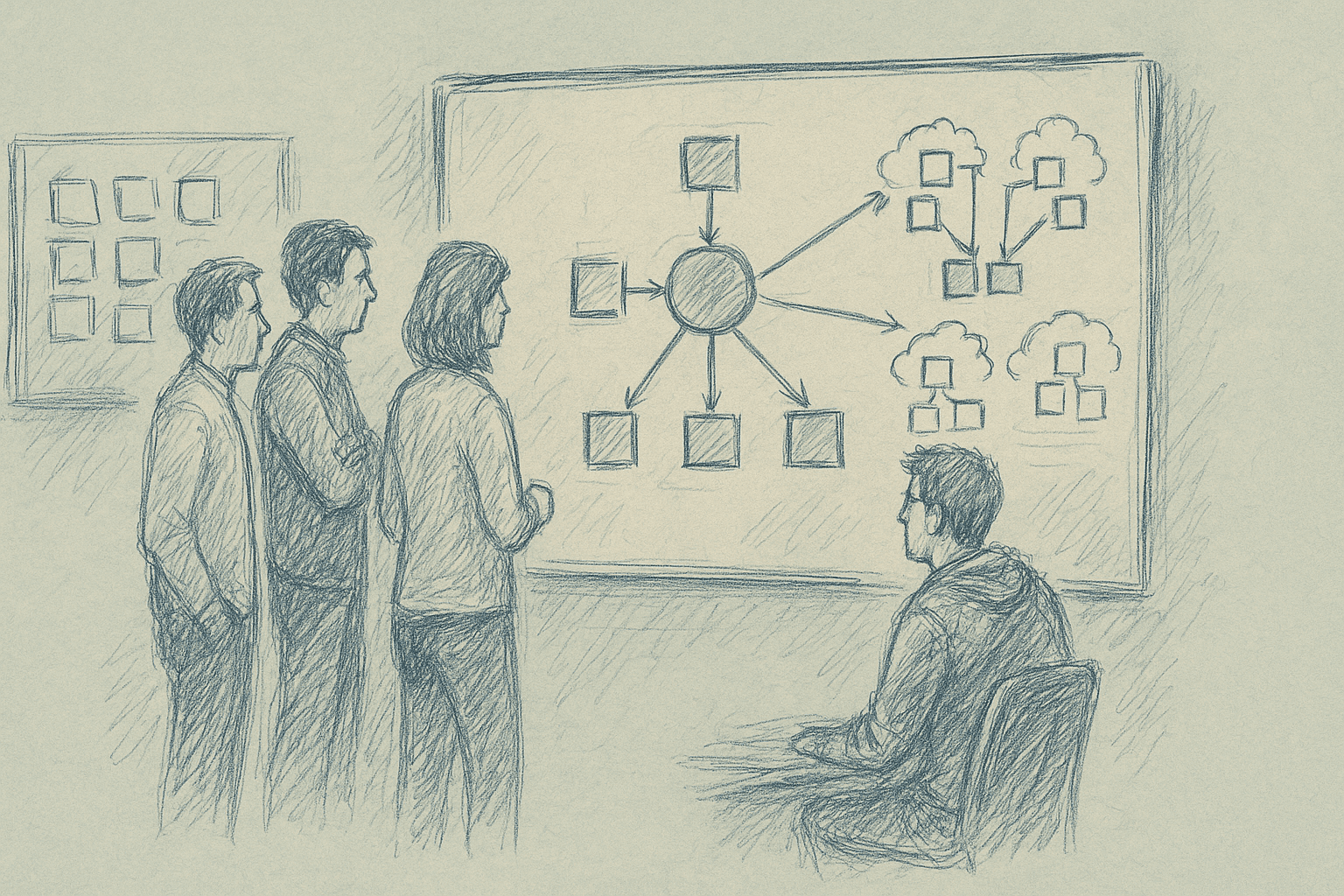
The idea: use a higher‑capability model as a conductor that coordinates a set of narrower, cheaper coding agents to speed up real work.
This article treats those as placeholders for:
- Orchestrator: a higher‑capability, slower, more expensive model.
- Workers: faster, cheaper, more specialized coding agents.
The question: what changes for engineering teams when you move from a single coding agent to an orchestrated set of agents?
We focus on:
- When multi‑agent orchestration is useful.
- Concrete architectures that teams can implement today.
- How to keep it debuggable and safe.
- Where the approach breaks down.
1. Why a Single Coding Agent Stops Being Enough
Most teams start with a single “do everything” coding agent:
- You paste a task.
- It edits files or proposes a patch.
- You review and iterate.
This works for:
- Local refactors.
- Small feature additions.
- One‑off scripts.
It breaks down when tasks become:
- Cross‑cutting: multiple services, infra, and clients.
- Long‑running: migrations, large refactors, multi‑step changes.
- Stateful: coordination with CI, feature flags, data backfills.
Symptoms:
- The agent loses context halfway through a change.
- It forgets earlier decisions (API shapes, naming, constraints).
- You manually decompose tasks into smaller prompts.
- You end up acting as the orchestrator.
Multi‑agent orchestration moves that decomposition and coordination into code instead of relying on the human operator.
2. The Basic Pattern: Conductor + Workers
At a high level, an orchestrated system looks like this:
- User submits a goal: “Add usage analytics to the billing service and expose a daily summary endpoint.”
- Orchestrator:
- Reads the repo map and docs.
- Breaks the goal into sub‑tasks.
- Assigns each sub‑task to a worker agent.
- Workers:
- Perform specific actions (edit code, write tests, update config).
- Report back results and uncertainties.
- Orchestrator:
- Reviews diffs.
- Resolves conflicts.
- Decides next steps until the goal is satisfied.
The orchestrator is more than a router. It is responsible for:
- Planning: task decomposition and ordering.
- Delegation: choosing which worker to use.
- Verification: checking outputs, running tests, reading logs.
- Recovery: retrying, rolling back, or changing plan.
3. Concrete Roles for Coding Workers
You do not need dozens of agents. Three to six well‑defined roles are usually enough.
Examples of worker roles that map cleanly to real workflows:
-
Repo Navigator
- Input: natural language question + repo index.
- Output: file paths, code snippets, short explanations.
- Use: help the orchestrator and other workers find relevant code.
-
Feature Implementer
- Input: a precise change request (files, functions, constraints).
- Output: patches or file contents.
- Use: implement application logic and wiring.
-
Test Engineer
- Input: description of behavior + changed files.
- Output: new or updated tests.
- Use: ensure coverage and regression protection.
-
Refactorer
- Input: refactor goal + scope.
- Output: structural changes (extractions, renames, module splits).
- Use: keep the codebase maintainable as features accumulate.
-
Infra / Config Agent
- Input: infra change description (env vars, CI steps, deployment config).
- Output: config patches.
- Use: update pipelines, feature flags, or infra manifests.
-
Reviewer / Critic
- Input: diff + context.
- Output: review comments, risk flags, suggestions.
- Use: second pass on changes before human review.
You can implement these as different system prompts and tool sets over the same base model, or as different models.
4. Orchestration Architectures You Can Implement Today
Below are three architectures that do not depend on any specific vendor.
4.1. Single Orchestrator, Synchronous Workers
When to use: small teams, single repo, tasks that finish in minutes.
Flow:
- Orchestrator receives a goal.
- It plans a sequence of steps.
- For each step, it calls a worker synchronously.
- It aggregates diffs and returns a final patch or PR.
Implementation sketch:
- Orchestrator is a loop in your backend:
plan = orchestrator.plan(goal, repo_state)- For
step in plan:result = call_worker(step.type, step.input)repo_state = apply(result.diff)orchestrator.update_state(result)
Pros:
- Easy to reason about.
- Straightforward logging and replay.
- Good for early experiments.
Cons:
- No parallelism.
- Latency grows linearly with number of steps.
- Orchestrator context can still overflow on large tasks.
4.2. Orchestrator with Parallel Workers
When to use: larger repos, tasks with independent sub‑components.
Flow:
- Orchestrator decomposes the goal into independent branches.
- It dispatches sub‑tasks to workers in parallel.
- It waits for results, resolves conflicts, and merges.
Implementation sketch:
- Use a job queue (e.g., Redis, SQS, or any task runner).
- Orchestrator enqueues worker jobs with correlation IDs.
- Workers run in separate processes or containers.
- Orchestrator listens for completion events and updates a shared state store.
Pros:
- Better throughput.
- Can scale workers horizontally.
Cons:
- Conflict resolution becomes non‑trivial when two workers edit the same file.
- Harder to debug ordering issues.
A practical compromise is limited parallelism: allow parallel work only on disjoint file sets, and enforce mutual exclusion per file or directory.
4.3. Orchestrator as a Tool‑Using Agent
Some LLM APIs support tool calling (functions, actions). You can implement workers as tools instead of separate agents.
Flow:
- Orchestrator is a single LLM session with tools such as:
search_repoedit_filerun_testsgenerate_tests
- It calls tools in sequence, using the tool outputs as context.
This behaves like a multi‑agent system, but the “workers” are tools, not separate LLMs.
Pros:
- Simpler infra.
- No cross‑agent context passing.
Cons:
- Harder to specialize behaviors strongly.
- Orchestrator context can become very large.
This is often a good first step before you introduce explicit worker agents.
5. Practical Implementation Steps
Here is a concrete path to a basic orchestrated system.
Step 1: Define One Narrow Workflow
Pick a workflow that is:
- Repeated often.
- Annoying but well‑structured.
- Low‑risk if something goes wrong.
Examples:
- “Add a new REST endpoint to an existing service.”
- “Wire a new event into the analytics pipeline.”
- “Add a feature flag around an existing behavior.”
Write it as a checklist in plain language. This becomes your initial plan template.
Step 2: Implement a Minimal Orchestrator Loop
Start with a simple script or service:
- Take a goal and repo path.
- Build a lightweight repo index (file tree plus embeddings, or just a map of file paths).
- Call the orchestrator model with:
- Goal.
- Repo summary.
- The checklist from Step 1.
- Ask it to output a structured plan (JSON or similar) with steps.
Example plan schema:
{
  "steps": [
    {
      "id": "analyze",
      "type": "analysis",
      "description": "Identify service and files to change",
      "inputs": {}
    },
    {
      "id": "implement-endpoint",
      "type": "feature_implementation",
      "description": "Add endpoint and wire to handler",
      "inputs": { "service": "billing" }
    }
  ]
}
Do not execute anything yet. Inspect the plans and iterate on the prompt until they are stable and sensible.
Step 3: Add One Worker Type and Execute End‑to‑End
Start with a single worker, for example the Feature Implementer.
- For each plan step of type
feature_implementation:- Gather relevant files (via a simple search or embedding lookup).
- Call the worker model with:
- Step description.
- Relevant code.
- Ask it to output a patch or full file contents.
- Apply the patch in a temporary branch or workspace.
- Show the diff to a human.
At this stage, the orchestrator is mostly a planner and router. You still rely on humans for verification.
Step 4: Add Verification and a Test Worker
Once basic end‑to‑end flow works, add:
- A Test Engineer worker that:
- Reads the diff.
- Generates or updates tests.
- A verification step that:
- Runs tests.
- Captures output.
- Feeds results back to the orchestrator.
The orchestrator can then:
- Retry with more context if tests fail.
- Propose rollbacks if failures look risky.
Step 5: Instrument Everything
Multi‑agent systems are hard to understand without instrumentation. Add:
- Per‑step logs:
- Inputs and outputs (sanitized for secrets).
- Model names and versions.
- Latency and token counts.
- Trace IDs that tie a user goal to all sub‑steps.
- Replay tooling to re‑run a trace with updated prompts or models.
Without this, debugging will be guesswork.
6. What Actually Changes for Teams
If you get orchestration working reasonably well, the impact is structural.
6.1. Workflows Become Declarative
Instead of:
- “I’ll go change these three services, then wire CI, then add tests.”
You move toward:
- “Here is the desired behavior and constraints; the system figures out the steps.”
Engineers spend more time on:
- Defining constraints and invariants.
- Reviewing plans and diffs.
- Designing interfaces and data models.
And less time on:
- Mechanical wiring.
- Boilerplate.
- Repetitive test scaffolding.
6.2. The Unit of Work Shifts
The unit of work moves from file‑level edits to goal‑level changes.
You start to think in terms of:
- “Add this capability to the system” rather than “edit these five files.”
This can align better with product tickets and OKRs, but it also means:
- You need clearer acceptance criteria.
- You need better automated checks.
6.3. New Failure Modes
You trade familiar failures for new ones:
- Plan drift: the orchestrator keeps adjusting the plan mid‑flight and loses track of the original goal.
- Context loss: workers operate on partial views of the repo and miss important constraints.
- Over‑editing: multiple workers touch overlapping areas, creating noisy diffs.
Teams need guardrails:
- Scope limits per task (max files, max lines changed).
- Required checks before merging (tests, linters, static analysis).
- Human review gates for certain risk categories (security, data migrations).
7. Tradeoffs and Limitations
Multi‑agent orchestration has clear costs. Some limitations come from current LLMs and tooling.
7.1. Planning Reliability
LLMs are not reliable planners. They can:
- Miss necessary steps.
- Invent steps that do nothing.
- Loop on the same failing action.
Mitigations:
- Constrain plans with templates and schemas.
- Limit depth of plans and require human approval for large ones.
- Add hard checks (for example, “if tests fail twice, stop and ask a human”).
Even with mitigations, you should expect:
- Occasional dead‑ends.
- Occasional over‑complicated plans.
7.2. Context and Scale
Large codebases exceed any single model’s context window.
Symptoms:
- Workers make changes that conflict with unseen code.
- Orchestrator misjudges impact because it only sees a slice.
Mitigations:
- Use repo indexing and targeted retrieval.
- Enforce scoped tasks (per service, per module).
- Maintain lightweight global docs (architecture overviews, invariants) that are always available to the orchestrator.
Even with this, global refactors across very large monorepos remain hard.
7.3. Latency and Cost
More agents and more steps mean:
- Higher latency for a single goal.
- Higher token usage and API cost.
Mitigations:
- Use cheaper models for narrow workers when possible.
- Cache intermediate results (for example, repo summaries, search results).
- Limit the number of retries and plan revisions.
Teams should track cost per merged PR or cost per successful task, not just per‑call cost.
7.4. Debuggability and Trust
Multi‑agent systems can feel opaque:
- It is not obvious why a particular change was made.
- Responsibility is spread across agents.
Mitigations:
- Require each step to emit a short rationale.
- Attach these rationales to diffs or PR descriptions.
- Provide a timeline view of the orchestration for reviewers.
Without this, engineers may distrust the system and avoid using it.
8. When Not to Use Multi‑Agent Orchestration
There are cases where a single strong coding agent is simpler and better:
- Small repos where the entire codebase fits comfortably in context.
- One‑off tasks that do not repeat.
- Exploratory work where requirements are unclear.
In these cases, orchestration adds overhead without clear benefit.
A rough rule of thumb:
- If a human can complete the task in under 30 minutes and it touches one or two files, a single agent is usually enough.
9. A Minimal Reference Design
Here is a minimal design to target.
Components:
- Orchestrator service:
- Receives goals.
- Generates and executes plans.
- Maintains task state.
- Worker library:
- Feature Implementer.
- Test Engineer.
- Repo Navigator.
- Repo indexer:
- Periodically builds a searchable index of the codebase.
- CI integration:
- Runs tests on proposed changes.
- Reports results back to the orchestrator.
- UI:
- Shows plan, step logs, and diffs.
Capabilities:
Given a ticket with clear acceptance criteria, the system can:
- Propose a plan.
- Implement changes in a branch.
- Generate tests.
- Run tests.
- Present a PR‑ready diff with rationale.
This is achievable with current tooling, but it requires careful scoping, instrumentation, and iteration.
10. How to Evaluate Success
To avoid vague claims, track concrete metrics:
- Lead time per change: from ticket creation to merged PR.
- Engineer time per change: actual human minutes spent.
- Rework rate: how often AI‑generated changes need substantial rework.
- Incident rate: bugs or incidents traceable to AI‑generated changes.
Compare:
- Baseline (single agent, no orchestration).
- After introducing a minimal orchestrator.
- After adding more worker roles.
If you do not see improvements in lead time or engineer time after a few iterations, reconsider scope or design.
11. Summary
Multi‑agent orchestration for coding is about:
- Making planning and coordination explicit and programmable.
- Specializing agents for recurring roles.
- Instrumenting the whole process so it can be trusted and improved.
A capable orchestrator coordinating narrower coding agents can change how teams ship, but only if:
- Workflows are well‑defined.
- Scope is controlled.
- Verification is automated.
- Human review remains in the loop for high‑risk changes.
The practical path is incremental: start with one workflow, one orchestrator, and one or two worker roles. Make it observable, measure outcomes, and expand only when the benefits are clear.
Want to learn more about Cursor?
We offer enterprise training and workshops to help your team become more productive with AI-assisted development.
Contact Us