What Multi‑Agent Orchestration Changes for Teams Shipping With Coding Agents
A practical look at how to structure, orchestrate, and operate multi‑agent coding systems, using an "Opus 4.6 as orchestrator, Codex 5.3 as workers" mental model. Includes patterns, workflows, and tradeoffs for engineering teams.
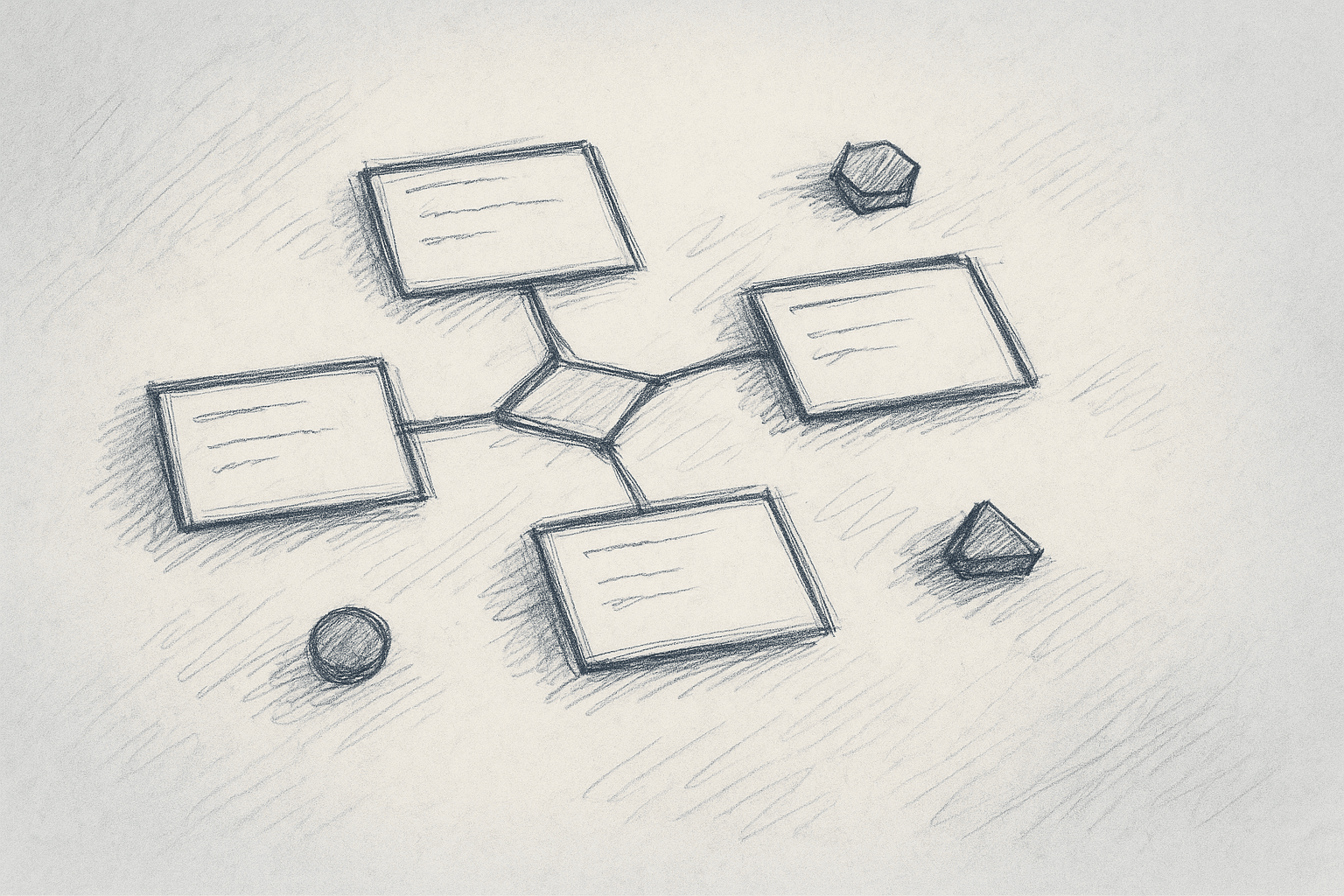
The single "copilot" pattern is familiar: one coding agent lives in your editor and helps you write and refactor code.
Multi‑agent orchestration instead uses a coordinator model ("Opus 4.6" in this article) that plans and supervises a small group of narrower coding agents ("Codex 5.3" workers), each focused on a specific task. Names are placeholders; the structure is the point.
What’s inside:
- What orchestration adds beyond a single coding agent
- Core patterns: planner–worker, tool‑calling, and review loops
- How to structure repos and tasks so agents don’t thrash
- A stepwise rollout plan
- Failure modes, costs, and when not to use multi‑agent setups
Speculative or tool‑dependent notes are labeled as such.
1. From Single Agent to Orchestrated Agents
1.1 The baseline: one strong coding agent
With a single coding model wired into your editor, you typically get:
- Inline completions
- Chat‑based refactors and explanations
- Occasional multi‑file edits via a single long request
This works well for:
- Localized changes (one file, one function)
- Short refactors
- Generating boilerplate
It breaks down when:
- The change spans many files and layers
- You need coordination across multiple steps (design → implementation → tests → docs)
- You want parallelism (for example, generate tests while implementing a feature)
1.2 What orchestration adds
A multi‑agent setup introduces roles and control flow.
Using the article’s mental model:
-
Opus 4.6 (orchestrator)
- Reads the high‑level task
- Breaks it into steps
- Assigns steps to worker agents
- Integrates results and enforces constraints (style, architecture, tests)
-
Codex 5.3 agents (workers)
- Execute specific coding tasks: implement a function, write tests, refactor a module
- Operate with narrower context and simpler prompts
You can approximate this with any combination of:
- A stronger model acting as planner/controller
- The same or smaller models acting as workers
- A thin orchestration layer in your own code or in your editor/agent framework
Exact performance depends on the models and tools you use. The pattern itself is model‑agnostic.
2. Core Orchestration Patterns
2.1 Planner–worker pattern
Intent: Turn a vague feature request into a sequence of concrete coding tasks.
Flow:
- User → Orchestrator: "Add passwordless login with magic links."
- Orchestrator:
- Reads repo structure (tools: file tree, embeddings, or static analysis; tool‑dependent)
- Produces a plan, for example:
- Update auth routes
- Add token model and DB migration
- Implement email sender
- Add tests and docs
- Orchestrator → Workers: For each step, spawn or reuse a worker agent with a narrow prompt and limited file scope.
- Workers → Orchestrator: Return diffs, test files, and notes.
- Orchestrator: Integrates, checks consistency, and presents a patchset to the human.
Why this helps:
- The planner keeps the big picture in mind.
- Workers stay focused and stateless, which tends to reduce invented structure.
Risks / limitations:
- Planning quality is bottlenecked by the orchestrator model and its context window.
- If the repo is large and your tooling doesn’t give good structural views, the plan can be wrong.
- More API calls mean higher latency and cost.
2.2 Tool‑calling and environment control
Most practical orchestrators rely on tools. The exact APIs differ by platform, but the pattern is similar:
- Read tools: list files, read file contents, search code, inspect tests
- Write tools: apply patches, create files, run formatters
- Execution tools: run tests, run linters, sometimes run a dev server
Pattern:
- Orchestrator decides which tools are needed for a step.
- Worker agents call tools only within a sandboxed scope (for example, only under
src/auth/). - Orchestrator validates tool outputs and decides whether to continue or roll back.
Why this matters:
- Without tools, agents are guessing about the codebase.
- With tools but no orchestration, a single agent can still make large, hard‑to‑review changes.
- Orchestration lets you enforce guardrails: scope, file ownership, and review points.
Limitations:
- Tooling must be reliable and fast; slow test runs or flaky environments will dominate latency.
- Some tools (for example, full integration test suites) may be too expensive to run on every step.
2.3 Review and critique loops
A common multi‑agent pattern is to have one agent write code and another review it.
Flow:
- Worker A (implementation) produces a diff.
- Worker B (reviewer) gets:
- The diff
- Relevant files
- Project guidelines (style, security, performance notes)
- Reviewer flags issues or suggests changes.
- Orchestrator decides whether to:
- Ask Worker A to revise
- Apply the patch and mark items for human review
Benefits:
- You can encode different concerns in different reviewers: security, performance, API design.
- The reviewer can be configured to be stricter than the implementer.
Tradeoffs:
- Token usage increases for the same change.
- If the reviewer is weaker than the implementer, you get false confidence.
3. What Actually Changes for Teams
3.1 From “agent as assistant” to “agent as junior team”
With a single agent, the mental model is: you ask, it helps. You still do most of the planning and integration.
With orchestration, the mental model shifts to: you assign a ticket, and the agent team proposes a patchset. That implies:
- You write clearer tickets.
- Inputs: constraints, acceptance criteria, non‑goals.
- Outputs: patchsets, tests, and notes.
- You review more code and fewer prompts.
- The main artifact becomes a diff, not a chat transcript.
- You think about agent roles.
- Implementation vs. review vs. migration vs. documentation.
This is closer to how you manage human juniors than how you use autocomplete.
3.2 Impact on workflow
Before orchestration:
- Dev pulls a ticket.
- Chats with a coding agent for help.
- Manually wires together multi‑file changes.
After orchestration (target state):
- Dev pulls a ticket and writes a structured brief.
- Orchestrator generates a plan and patchset.
- Dev reviews, edits, and runs tests.
- Orchestrator can iterate on feedback ("tests failed", "this API is wrong").
Potential gains:
- Faster iteration on medium‑sized features.
- Less manual glue work (file creation, boilerplate, basic tests).
- More consistent adherence to patterns if you encode them in the orchestrator prompts and tools.
Potential losses:
- More time spent debugging agent mistakes if guardrails are weak.
- Harder to attribute bugs: planner, worker, or human review gap.
3.3 Where orchestration helps most
Given current capabilities of strong coding models (2024–2025), the sweet spots are:
- Greenfield or well‑structured repos
- Clear module boundaries
- Good tests and linters
- Repetitive patterns
- CRUD endpoints
- Similar feature variants across platforms
- Test generation for existing APIs
- Mechanical refactors
- API renames
- Dependency upgrades with known recipes
It is less effective when:
- The architecture is unclear or inconsistent.
- The change is mostly product/UX design, not code.
- The main difficulty is domain understanding, not implementation.
4. Practical Implementation Steps
This section assumes you have access to:
- At least one strong coding model (orchestrator)
- One or more coding‑capable models (workers; can be the same model)
- A way to:
- Read and write files
- Run tests/linters
- Call models programmatically
The exact stack (editor plugin, custom backend, agent framework) will vary.
4.1 Step 0: Decide on scope and success metrics
Before wiring agents together, define:
- Scope:
- Start with a single repo or service.
- Limit to non‑critical paths at first.
- Metrics:
- Time from ticket creation to merged PR
- Number of human review comments per agent‑generated PR
- Test failure rate on first CI run
- Rollback rate for agent‑generated changes
Without this, it’s hard to tell if orchestration is helping.
4.2 Step 1: Introduce a planner without multiple workers
First, use the "Opus 4.6"‑style orchestrator as a planner only.
Implementation sketch (pseudo‑workflow):
- User writes a ticket in a structured template:
- Context
- Goal
- Constraints
- Acceptance criteria
- Orchestrator model:
- Reads the ticket
- Uses tools to inspect the repo (file tree, key files)
- Outputs a plan:
- Steps
- Files to touch
- Risks and open questions
- Human:
- Edits the plan
- Marks steps as approved
- Single coding agent (could be the same model):
- Executes steps sequentially with human in the loop.
Why this first:
- You get value from better task decomposition without the complexity of multiple workers.
- You can debug planning prompts and tools in isolation.
4.3 Step 2: Add a single worker role under orchestration
Next, let the planner call a worker agent to implement one step at a time.
Concrete pattern:
-
Orchestrator prompt includes:
- Repo conventions (folder layout, naming, testing strategy)
- Tool descriptions
- A strict rule: "Never modify files outside the scope for this step."
-
Worker prompt includes:
- The specific step description
- The list of allowed files/directories
- The relevant code snippets (fetched via tools)
Control loop:
- Orchestrator selects next step.
- Orchestrator gathers context via tools.
- Orchestrator calls worker with context and step.
- Worker returns a proposed diff.
- Orchestrator:
- Optionally runs tests/linters
- Summarizes the change
- Presents it to the human for approval
Practical tips:
- Keep steps small: aim for changes that could be reviewed in 5–10 minutes.
- Enforce a maximum diff size per step.
- Fail fast if the worker tries to touch disallowed files.
4.4 Step 3: Introduce a reviewer agent
Once you trust the planner and worker prompts, add a reviewer.
Reviewer configuration:
- Prompt with:
- Project coding standards
- Security/performance guidelines
- Examples of good and bad diffs
- Tools:
- Read only (no write access)
- Ability to run static analyzers or linters if available
Flow:
- Worker proposes a diff.
- Reviewer inspects the diff and context.
- Reviewer outputs:
- A verdict (approve / request changes)
- A list of concrete issues
- Orchestrator decides whether to:
- Ask worker to revise
- Forward to human review with reviewer notes
Caveats:
- Reviewer quality is critical; a weak reviewer can rubber‑stamp bad changes.
- You may want to gate certain areas (for example, auth, billing) to always require human review regardless of agent verdicts.
4.5 Step 4: Parallelize carefully
Parallelism is where multi‑agent setups can give large speedups, but it’s also where they can create merge conflicts and inconsistent designs.
Safe parallelization patterns:
-
Independent surfaces:
- Example: web frontend vs. CLI tool vs. documentation.
- Orchestrator ensures no overlapping files.
-
Generate tests in parallel with implementation:
- Worker A: implements feature.
- Worker B: writes tests based on the spec and public API.
- Orchestrator merges and resolves minor conflicts.
Avoid at first:
- Parallel edits to the same module or API surface.
- Large refactors and new features running concurrently.
5. Designing Your Repo for Agents
Multi‑agent orchestration works better when the codebase is legible to tools and models.
5.1 Clear boundaries and naming
Helpful patterns:
- One main language per repo, or clear language boundaries.
- Consistent folder structure (for example,
api/,services/,ui/,tests/). - Centralized configuration and entry points.
These make it easier for the orchestrator to:
- Infer where a feature should live.
- Limit worker scope to relevant directories.
5.2 Tests as a contract
Agents are more reliable when tests are:
- Present
- Fast to run
- Aligned with business behavior
Practical steps:
- Maintain a fast test subset (for example, unit tests) that agents can run frequently.
- Document which test commands are safe for agents to run.
- Encode "tests must pass" as a hard rule in orchestrator prompts.
5.3 Documentation for agents
Agents can read text, but they don’t infer missing docs.
Useful artifacts:
- A short architecture overview in the repo.
- A conventions file (naming, error handling, logging, security notes).
- A CHANGELOG or migration notes for major patterns.
You can feed these into the orchestrator as part of its system prompt or via tools.
6. Tradeoffs, Risks, and Limitations
6.1 Cost and latency
Multi‑agent orchestration usually means:
- More model calls
- More tokens per task
- More tool invocations (file reads, test runs)
This can be acceptable if:
- The resulting patchsets save significant human time.
- The failure rate is low enough that rework is rare.
If you’re paying per token or per call, monitor:
- Average cost per merged PR
- Cost per reverted PR
6.2 Error modes
Common failure patterns:
-
Planning errors
- Wrong assumptions about architecture
- Missing steps (for example, no migration for a new field)
-
Scope creep
- Workers touching files outside their assigned area
- Unintended refactors
-
Inconsistent changes
- Parallel workers implementing slightly different patterns
Mitigations:
- Strict scope enforcement in tools.
- Diff size limits.
- Mandatory human review for certain directories.
6.3 Human factors
Multi‑agent systems can fail socially even if they work technically.
Risks:
- Over‑trust: reviewers skim large diffs because "the agents already reviewed it."
- Under‑trust: engineers ignore the system because early outputs were poor.
- Ownership confusion: unclear whether the agent or the human owns a bug.
Practical responses:
- Treat agents as juniors: responsible for proposals, not for production outcomes.
- Make it explicit in PR templates when a change was agent‑generated.
- Encourage engineers to edit and push back on agent plans.
6.4 Limits of current models
As of 2024–2025, even strong coding models have limitations:
- They can misinterpret subtle domain rules not captured in code or docs.
- They may struggle with:
- Deeply nested, dynamic, or meta‑programmed code
- Complex concurrency or performance‑critical paths
- They don’t have real visibility into production traffic, incidents, or user behavior unless you explicitly feed that data in.
Because of this, multi‑agent orchestration is best seen as:
- A way to automate mechanical coding work and enforce patterns.
- Not a replacement for senior design, incident response, or nuanced tradeoff decisions.
7. When Not to Use Multi‑Agent Orchestration
It’s reasonable to stick with a single coding agent when:
- The repo is small and simple.
- Most tasks are quick fixes or one‑file changes.
- You don’t have reliable tests or tooling yet.
Multi‑agent setups add overhead. If you can’t:
- Provide clear tickets
- Maintain tests
- Invest in prompt and tool tuning
then the extra complexity may not pay off.
8. A Pragmatic Rollout Plan for Teams
Putting it together, a realistic adoption path looks like this:
-
Month 0–1: Single agent, better prompts
- Standardize how engineers ask the agent for help.
- Capture good prompts and patterns in a shared doc.
-
Month 1–2: Planner only
- Introduce a planner/orchestrator model that outputs step‑by‑step plans.
- Keep humans executing the steps.
- Measure plan quality and adjust prompts.
-
Month 2–3: Planner + single worker
- Allow the orchestrator to call a worker agent for small, scoped tasks.
- Require human approval for every diff.
- Track test failure and rollback rates.
-
Month 3–4: Add reviewer agent
- Configure a reviewer for style and basic correctness.
- Use reviewer feedback to improve worker prompts.
-
Month 4+: Selective parallelism
- Enable parallel workers on clearly independent surfaces.
- Keep critical paths (auth, billing, infra) under stricter, mostly human control.
At each stage, be willing to pause or roll back if metrics worsen.
9. Summary
Multi‑agent orchestration changes the role of coding agents from autocomplete tools to something closer to a junior engineering pod:
- A planner ("Opus 4.6"‑like) decomposes work and enforces constraints.
- Worker agents ("Codex 5.3"‑like) implement small, scoped tasks.
- Reviewer agents critique and tighten the results.
This can improve throughput on structured, well‑tested codebases, especially for repetitive patterns and mechanical refactors. It also introduces new costs and failure modes: planning errors, scope creep, and social over‑trust.
A reliable path is incremental:
- Start with planning.
- Add a single worker under tight scope.
- Introduce reviewers.
- Parallelize only where boundaries are clear.
Used this way, multi‑agent orchestration is another engineering tool: not a replacement for senior judgment, but a way to turn clear tickets and good tests into faster, more consistent code changes.
Want to learn more about Cursor?
We offer enterprise training and workshops to help your team become more productive with AI-assisted development.
Contact Us