What Multi‑Agent Orchestration Changes for Teams Shipping With Coding Agents
A practical look at how to use a single "orchestrator" model to coordinate multiple coding agents, what it actually changes for engineering teams, and where the limits are today.
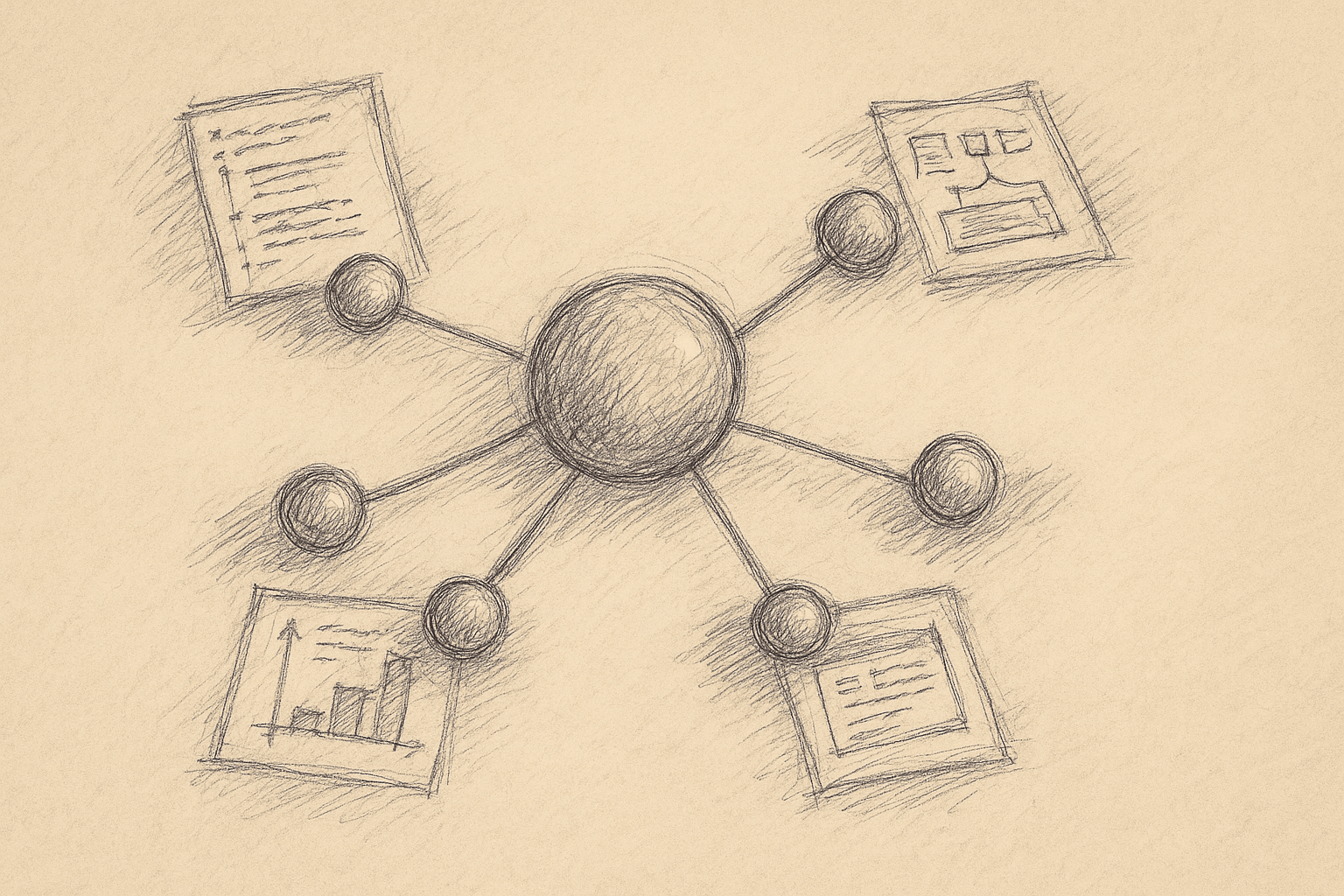
The setup: one stronger model ("Opus 4.6") acts as a coordinator for a set of specialized coding agents ("Codex 5.3" style workers). Instead of one assistant doing everything, you run a small group of agents with clear roles.
This article focuses on what that changes for engineering teams:
- When orchestration helps versus when it just adds latency and complexity.
- Concrete architectures you can build now with current models.
- How to design tasks, memory, and handoffs between agents.
- Failure modes and how to keep the system debuggable.
1. Why Orchestration Is Even a Question
Most teams use coding agents in one of three ways:
- Inline autocomplete (Copilot‑style).
- Single chat assistant that edits files or writes functions.
- Single “project agent” that can read a repo and apply patches.
These patterns work, but they hit limits:
- Long, multi‑step tasks ("add feature X across backend + frontend + infra") often stall or drift.
- The model loses context when the task spans many files or tools.
- You either give one agent too much scope (it gets confused) or too little (you do all the planning).
Multi‑agent orchestration splits responsibilities:
- A planner/orchestrator breaks work into steps.
- Worker agents execute those steps with narrower, more stable prompts.
- Optional reviewer/critic agents check work before it reaches humans.
The real question:
Can a coordinator model plus a few specialized workers cut human orchestration work enough to justify the extra system complexity?
2. Core Architecture: One Orchestrator, Several Workers
Think of the orchestrator as a project lead and the workers as focused contributors.
A minimal architecture:
-
Orchestrator agent
- Input: high‑level task from a human.
- Output: ordered plan + assignments to worker agents.
- Responsibilities: planning, routing, conflict resolution, summarization.
-
Worker agents (examples)
- Code‑edit worker: applies changes to existing files.
- Code‑gen worker: creates new modules, tests, scripts.
- Search/analysis worker: reads repo, runs grep/AST queries, summarizes.
- Tooling worker: runs commands (tests, linters, migrations) and reports back.
-
Shared substrate
- Tool layer: file read/write, repo search, command execution, maybe HTTP.
- State store: task graph, intermediate summaries, logs.
- Guardrails: rate limits, safety checks, approval gates.
You can back this with a single model or mix models (e.g., larger orchestrator, cheaper workers). Many teams just use the same model with different prompts because that is simpler to run.
3. What Actually Changes in a Team’s Workflow
3.1 From “Ask Once” to “Delegate and Supervise”
With a single agent, the pattern is:
- You describe the task.
- The agent attempts it in one long chain.
- You debug when it goes wrong.
With orchestration, the pattern becomes:
- You describe the task.
- The orchestrator proposes a plan.
- You approve or adjust the plan.
- Workers execute steps; the orchestrator keeps you updated.
- You review final diffs or PRs.
You supervise plans and milestones instead of every individual edit.
3.2 More Stable Prompts, Less Prompt Juggling
Each worker has a narrow, stable contract:
- Code‑edit worker always receives:
{goal, file snapshot, constraints}. - Test worker always receives:
{code under test, test framework, expected behavior}.
You stop rewriting large prompts for every new task. Instead, you:
- Tune a few worker prompts over time.
- Improve the orchestrator’s planning prompt.
3.3 Better Fit for Cross‑Cutting Tasks
Multi‑agent setups help most when tasks:
- Touch many files or services.
- Require both analysis and modification.
- Need repeated cycles of "change → test → adjust".
Examples where orchestration tends to help:
- Large refactors: rename or extract patterns across a codebase.
- Feature flags: add flags across backend + frontend + infra.
- Test coverage pushes: systematically add tests to under‑covered modules.
For small, local changes ("add a function", "fix this bug"), orchestration often adds overhead without much benefit.
4. A Concrete Orchestration Flow
Here is a practical flow you can build with current tools. Names like "Opus 4.6" and "Codex 5.3" are placeholders for whatever models you use.
4.1 Roles
-
Orchestrator (Opus‑class)
- Stronger reasoning, higher cost.
- Called less frequently.
-
Workers (Codex‑class)
- Cheaper, good at code synthesis and editing.
- Called more frequently.
4.2 Step‑By‑Step Flow
-
Human task input
- Example: "Add email verification to user signup, including backend token generation, email sending, and a frontend confirmation page."
-
Orchestrator: initial analysis
- Reads a repo summary (pre‑computed) or runs a search worker to locate relevant modules.
- Produces:
- A short requirements summary.
- A task graph: steps with dependencies.
-
Human: plan review
- You see something like:
- Step 1: Analyze existing auth and user models.
- Step 2: Design verification token schema and storage.
- Step 3: Implement backend endpoints.
- Step 4: Integrate email sending.
- Step 5: Add frontend flows.
- Step 6: Add tests.
- You edit or approve.
- You see something like:
-
Orchestrator: assign steps to workers
- For each step, the orchestrator:
- Chooses a worker type.
- Prepares a worker prompt with:
- Step goal.
- Relevant file paths.
- Constraints (style, frameworks, performance, security notes).
- For each step, the orchestrator:
-
Workers: execute and report
- Code‑edit worker:
- Reads files via tools.
- Proposes patches.
- Returns: patch + rationale + any uncertainties.
- Test worker:
- Runs tests.
- Returns: pass/fail + logs.
- Code‑edit worker:
-
Orchestrator: integrate and iterate
- Applies patches in a sandbox branch.
- If tests fail or diffs conflict, it:
- Updates the task graph.
- Issues follow‑up steps to workers.
-
Human: final review
- You review a PR or diff bundle.
- You see a summary from the orchestrator:
- What changed.
- Why.
- Any TODOs or caveats.
You can build this with a task queue, a repo tool layer, and a single LLM backend. The orchestration logic can live in regular code plus a few prompts.
5. Implementation Steps for a First Multi‑Agent System
Here is a pragmatic path from "single agent" to "orchestrated agents".
Step 1: Stabilize Your Tooling Layer
Before you add multiple agents, make sure you have a solid set of tools:
read_file(path)write_file(path, content or patch)list_files(pattern)search_code(query)run_command(cmd)(for tests, linters)
Wrap these in a small library with:
- Clear input/output types.
- Logging for every call.
- Rate limiting and safety checks (for example, block
rm -rf).
Step 2: Define Worker Contracts
Start with 2–3 workers:
-
Analyzer worker
- Goal: answer questions about the repo.
- Tools:
list_files,read_file,search_code. - Output: structured JSON summary (for example,
{files, key_types, endpoints}).
-
Code‑edit worker
- Goal: apply localized changes.
- Tools:
read_file,write_file. - Output: patches with explanations.
-
Test worker (optional at first)
- Goal: run tests and report.
- Tools:
run_command. - Output: pass/fail + logs.
For each worker, write a system prompt that:
- States its role and limitations.
- Defines the expected input and output format.
- Emphasizes idempotence and small, safe changes.
Step 3: Implement a Simple Orchestrator
At first, keep most orchestrator logic in code, not in the model.
-
The model does:
- Task decomposition: break a human request into steps.
- Step descriptions.
-
Your code does:
- Task graph management.
- Worker selection based on step type.
- Error handling and retries.
Pseudo‑flow:
human_request → orchestrator_model(plan) → task_graph

for step in task_graph:
  worker = select_worker(step)
  result = call_worker(worker, step)
  update_state(step, result)
  if result indicates new steps:
    extend task_graph
This keeps the system debuggable: you can log every step and see which worker did what.
Step 4: Add Human Checkpoints
Do not let the system run end‑to‑end without human oversight at first.
Add gates like:
- Plan approval: human must approve the initial task graph.
- Scope guard: orchestrator must ask before touching more than N files.
- Pre‑merge review: human must approve final diffs.
You can relax these later for low‑risk tasks (for example, adding comments or updating docs).
Step 5: Measure Value vs Overhead
Track simple metrics:
- Lead time per task: from request to merged PR.
- Human review time: minutes spent per PR.
- Failure rate: tasks that require manual rescue.
Compare:
- Single‑agent baseline.
- Multi‑agent orchestration.
If orchestration does not reduce human orchestration time or increase task success rate on complex tasks, it may not be worth the added complexity yet.
6. Where Orchestration Helps Most
Given current capabilities, orchestration tends to be useful when:
-
Tasks are multi‑step and cross‑cutting
- Example: "Introduce a new logging abstraction and migrate all services to use it."
- Orchestrator can:
- Plan the migration.
- Assign scanning and editing to workers.
- Track which services are done.
-
You want reusable workflows
- Example: a standard bugfix workflow:
- Reproduce bug.
- Locate source.
- Patch.
- Add regression test.
- Run tests.
- Orchestrator can encode this as a template and reuse it.
- Example: a standard bugfix workflow:
-
You need separation of concerns
- Example: security‑sensitive code.
- You can:
- Use one worker for implementation.
- Use another worker with a "security reviewer" prompt to critique.
- Keep a human in the loop on final approval.
-
You want to mix models (if that is acceptable operationally)
- Use a stronger model for planning and a cheaper one for repetitive edits.
- This is mainly a cost optimization.
7. Tradeoffs and Limitations
7.1 Latency and Cost
- More agents → more model calls → higher latency and cost.
- Planning plus multiple worker passes can be slower than a single strong agent call, especially for small tasks.
Mitigation:
- Use orchestration only for tasks above a certain complexity threshold.
- Batch worker steps when possible (for example, edit multiple related files in one call).
7.2 Complexity and Debuggability
- Multi‑agent systems are harder to reason about.
- Failures can be ambiguous: was it the plan, the worker, or the tools?
Mitigation:
- Log every step with:
- Input prompt.
- Tool calls.
- Outputs.
- Provide a timeline view so humans can inspect what happened.
- Keep orchestrator logic as explicit code where possible.
7.3 Planning Quality Limits
Current models are still imperfect planners:
- They may miss edge cases or dependencies.
- They can over‑ or under‑decompose tasks.
Mitigation:
- Add self‑critique steps: orchestrator reviews its own plan before execution.
- Use checklists in prompts (for example, "Consider: data model, API, tests, docs").
- Keep humans in the loop for non‑routine tasks.
7.4 Context and Memory Constraints
Even with orchestration, models are limited by context windows and recall quality:
- Workers may not see all relevant files at once.
- Orchestrator summaries can drop important detail.
Mitigation:
- Use structured repo indexes (embeddings, symbol tables) to locate relevant code.
- Store intermediate summaries in a state store and pass them explicitly.
- Keep worker tasks local when possible.
7.5 Organizational Fit
Multi‑agent orchestration changes how engineers spend time:
- More time specifying tasks and reviewing plans.
- Less time on mechanical edits.
This is not always an improvement:
- For small teams with high shared context and fast communication, manual orchestration can be simpler.
- For teams without stable coding standards or architecture, agents may amplify inconsistency.
8. Practical Design Patterns
8.1 Planner–Executor–Critic Loop
Pattern:
- Planner (orchestrator) creates a step.
- Executor (worker) performs the step.
- Critic (could be the same model with a different prompt) reviews the result.
Use this when:
- You care about quality and safety.
- You can afford extra calls.
Example:
- Executor writes a new auth flow.
- Critic checks for common security issues (missing CSRF, weak token handling).
- Orchestrator decides whether to accept or request changes.
8.2 Template Workflows
Define reusable workflows as templates:
- Inputs: parameters (for example, feature name, target module).
- Steps: ordered list with worker types.
Examples:
- "Add endpoint" workflow.
- "Add feature flag" workflow.
- "Add tests for module" workflow.
The orchestrator:
- Instantiates templates with task‑specific details.
- Fills in missing context via analyzer workers.
8.3 Escalation to Human
Build explicit escalation paths:
- If a worker is uncertain beyond a threshold, it flags the step.
- Orchestrator pauses and asks a human for clarification.
This reduces silent failure when models are out of depth.
9. When Not to Use Multi‑Agent Orchestration
You probably do not need orchestration when:
- Tasks are small, local, and well‑scoped.
- You are still experimenting with basic agent tooling.
- You do not have observability into agent behavior yet.
In these cases, a single strong agent with good tools and prompts is usually simpler and more reliable.
10. How to Pilot This in Your Team
A realistic rollout path:
-
Pick one workflow that is:
- Repetitive.
- Multi‑step.
- Annoying but not safety‑critical.
Example: "Add missing tests for modules with <40% coverage."
-
Implement a minimal orchestrator + 2 workers for that workflow only.
-
Run it in shadow mode:
- Agents propose plans and diffs.
- Humans still do the real work.
- Compare outputs.
-
Move to assisted mode:
- Agents create PRs.
- Humans review and merge.
-
Decide whether to expand:
- If review time drops and quality is acceptable, add more workflows.
- If not, refine prompts and tools, or drop orchestration for now.
11. Summary
Multi‑agent orchestration is a way to:
- Turn a single, monolithic agent into a small, structured group of agents.
- Encode repeatable engineering workflows as plans and task graphs.
- Shift human effort from micro‑edits to supervision and review.
It has real costs:
- More latency and model calls.
- More system complexity.
- New failure modes.
For teams dealing with complex, cross‑cutting changes and repetitive workflows, a single orchestrator coordinating a few specialized coding agents can be worth that cost. For simple tasks and early‑stage setups, it may be overkill.
A practical path is incremental: start with one workflow, keep the orchestrator logic explicit and observable, and expand only if the data shows that orchestration actually reduces human orchestration effort.
Want to learn more about Cursor?
We offer enterprise training and workshops to help your team become more productive with AI-assisted development.
Contact Us